
Solutions · Loss Prevention
Plan loss prevention at exits.
Explore RFID checks for protected items at defined exits, with a clear staff response to exceptions.

Example scenario
Protected items at a store exit.
Every protected item carries a tag. At checkout the sale is recorded; at the exit, only items that were not sold raise an alert.
Live example · Main exit
- Tag reads 0
- Sold · ignored 0
- Alerts 0
DERAS event14:32:00
pos.scan
Illustrative scenario. Readers, tags, receipts and IDs are examples.Select a step to pause on it · hover the scene to trace each part
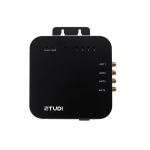
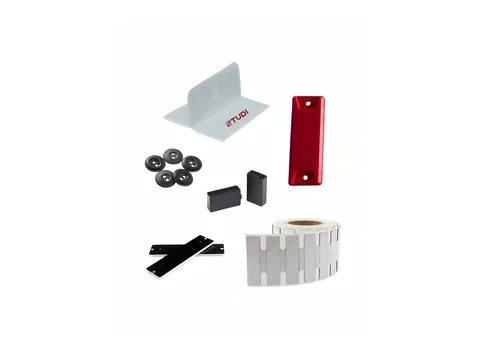
Hardware in this scenario


Technical example: data and integration

This is an illustrative flow. Device support, event fields and connections must be confirmed for your project.
Possible DERAS role
- Checks exit reads against sold and authorized items
- Filters tags read from nearby shelves
- Alerts the staff device with the item and time
- Logs every exception for later review
Illustrative events
rfid.tag_read{"reader":"FX7500-DEMO","antenna":1,"rssi":-52}exit.unpaid_item{"epc":"…18A4F","product":"DEMO-JKT-M","door":"Main"}alert.sent{"to":"TC22-DEMO","status":"delivered"}
Agree the event format, delivery method and system interface during project scoping.
Before you start
Check before a pilot.
- Hardware
- Choose tags and readers for your materials, site and process. Explore options
- Integration
- Agree data mapping and interfaces; confirm device support and DERAS outputs.
- Validation
- Test real items, read zones, repeated reads and exceptions at your site.
Next step
Start with what you need.
Discuss an operational challenge, or send the model and quantity you need.